
DTF

White choke and edge margins

Control the white edge. Leave the right canvas space.

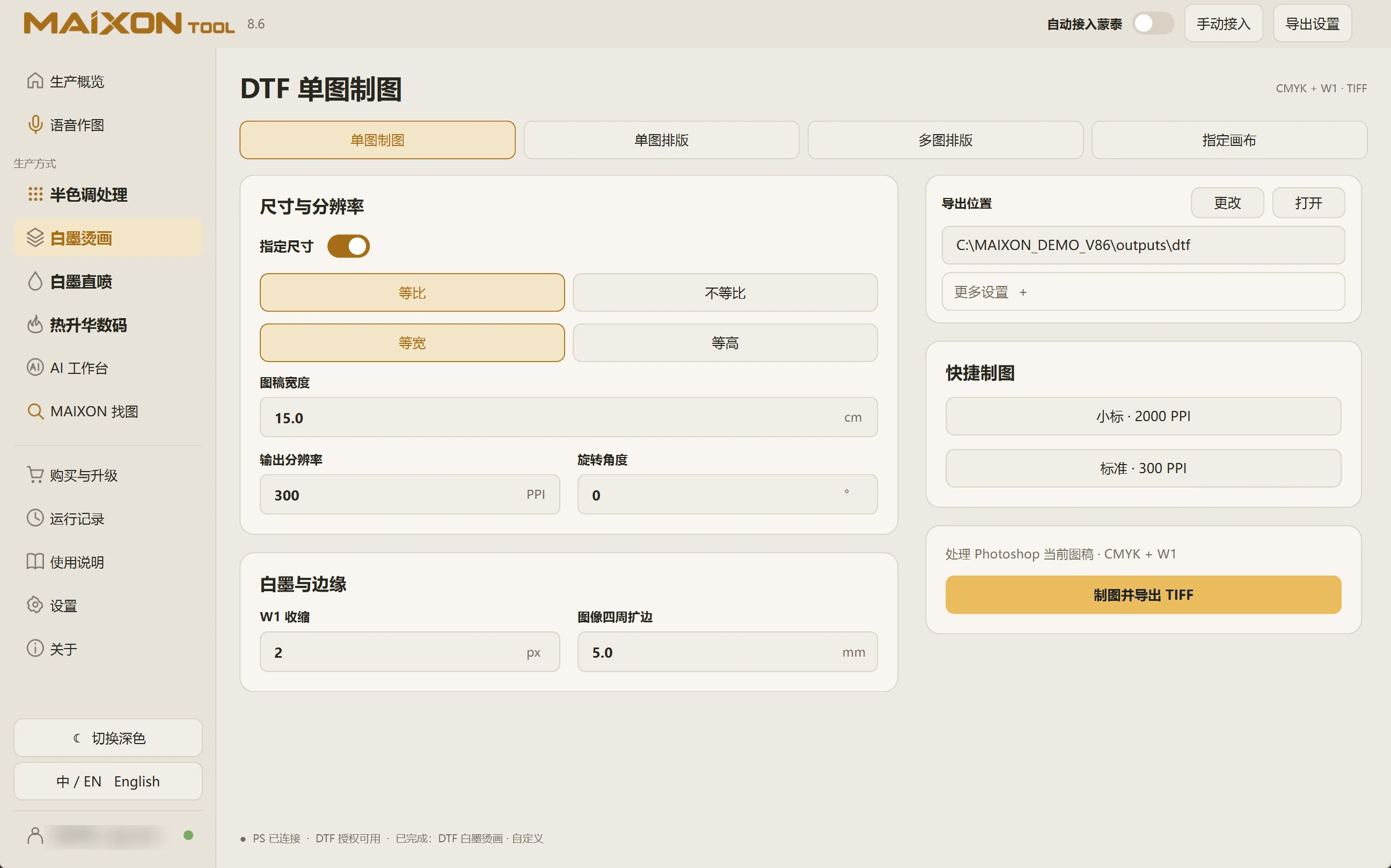
W1 choke controls the white edge, while margins enlarge the canvas. Enter pixels and millimetres separately and inspect both artwork and canvas size.

MAIXON TOOL V8.6 White choke and edge margins — light interface
White choke and edge margins

01

Keep the units distinct.

W1 choke uses pixels. Edge margins use millimetres. They affect the white edge and canvas bounds respectively.

Set artwork dimensions and PPI first, then choose choke and margins for the order and proven production settings.

02

Inspect the actual file.

A 15 cm wide artwork with 5 mm added on each side gives a canvas about 16 cm wide. Review both sizes.

Open the output and compare W1 against the color artwork around edges, small text and fine lines before production.

MAIXON × MainTopArtwork prepared. Continue into MainTop.

Keep exploring.

Choose your operating system

Select the version that matches your computer.

  1. 01

    Windows 7

    V8.3

    Download
  2. 02

    Windows 10

    V8.3

    Download
  3. 03

    Windows 11

    V8.3

    Download
  4. 04

    macOS

    Coming Soon