
SUBLIMATION

Roll inspection and export

A clear layout. A clear production file.

Inspect pieces and roll boundaries, confirm the selected layout, then choose the appropriate PDF or TIFF output and destination.

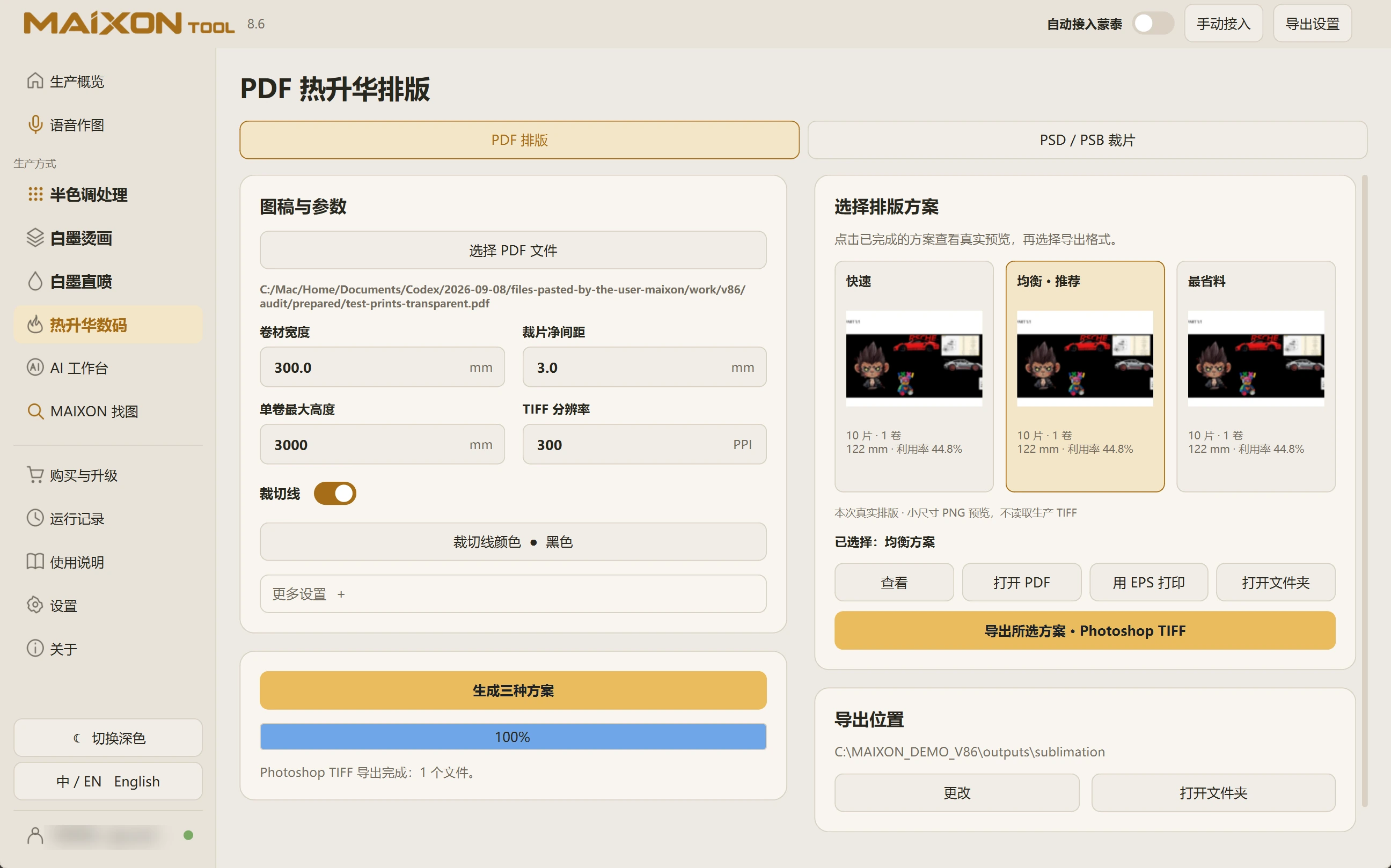
MAIXON TOOL V8.6 Roll inspection and export — light interface
Roll inspection and export

01

Confirm the layout and rolls.

With maximum roll height set, inspect piece count, roll count and boundaries. Zoom in to check completeness and collisions.

Confirm direction, spacing and cutting-line color before selecting the layout to export.

02

Choose the appropriate output.

PDF Layout provides viewing, PDF opening, EPS printing and Photoshop TIFF export entries. PSD / PSB Pieces can export CMYK TIFF. Choose for the current task.

Open the output folder and inspect actual dimensions, resolution, piece count and contours before continuing to production.
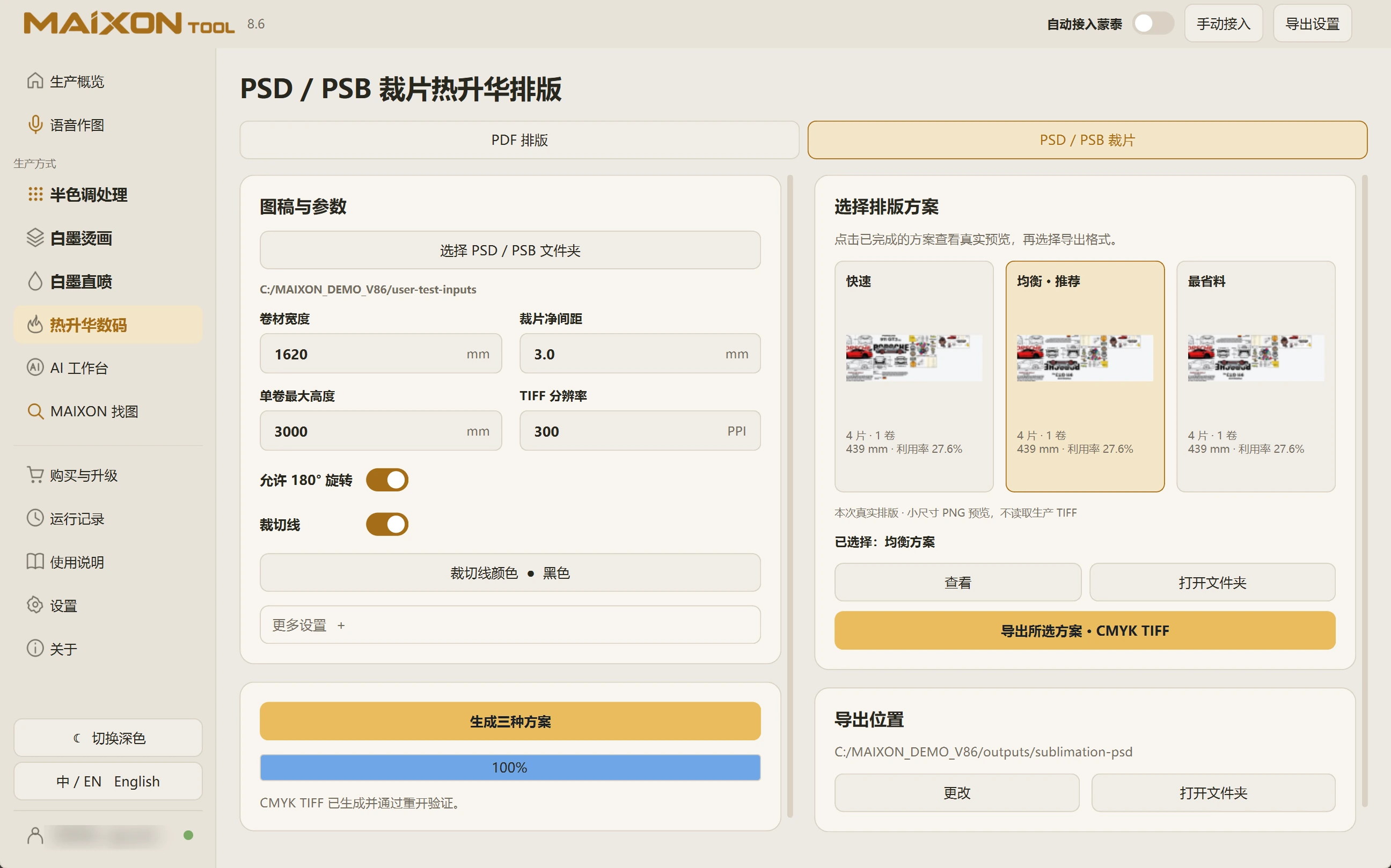
MAIXON TOOL V8.6 PSD / PSB piece output — light interface
PSD / PSB piece output

Keep exploring.

Choose your operating system

Select the version that matches your computer.

  1. 01

    Windows 7

    V8.3

    Download
  2. 02

    Windows 10

    V8.3

    Download
  3. 03

    Windows 11

    V8.3

    Download
  4. 04

    macOS

    Coming Soon