
01
Select the distinctive artwork.
Load the reference and select the print area. Retain useful lettering, contours and texture while excluding unrelated background.
Avoid selecting only a flat color or tiny generic detail. Keep enough context to distinguish similar designs.
02
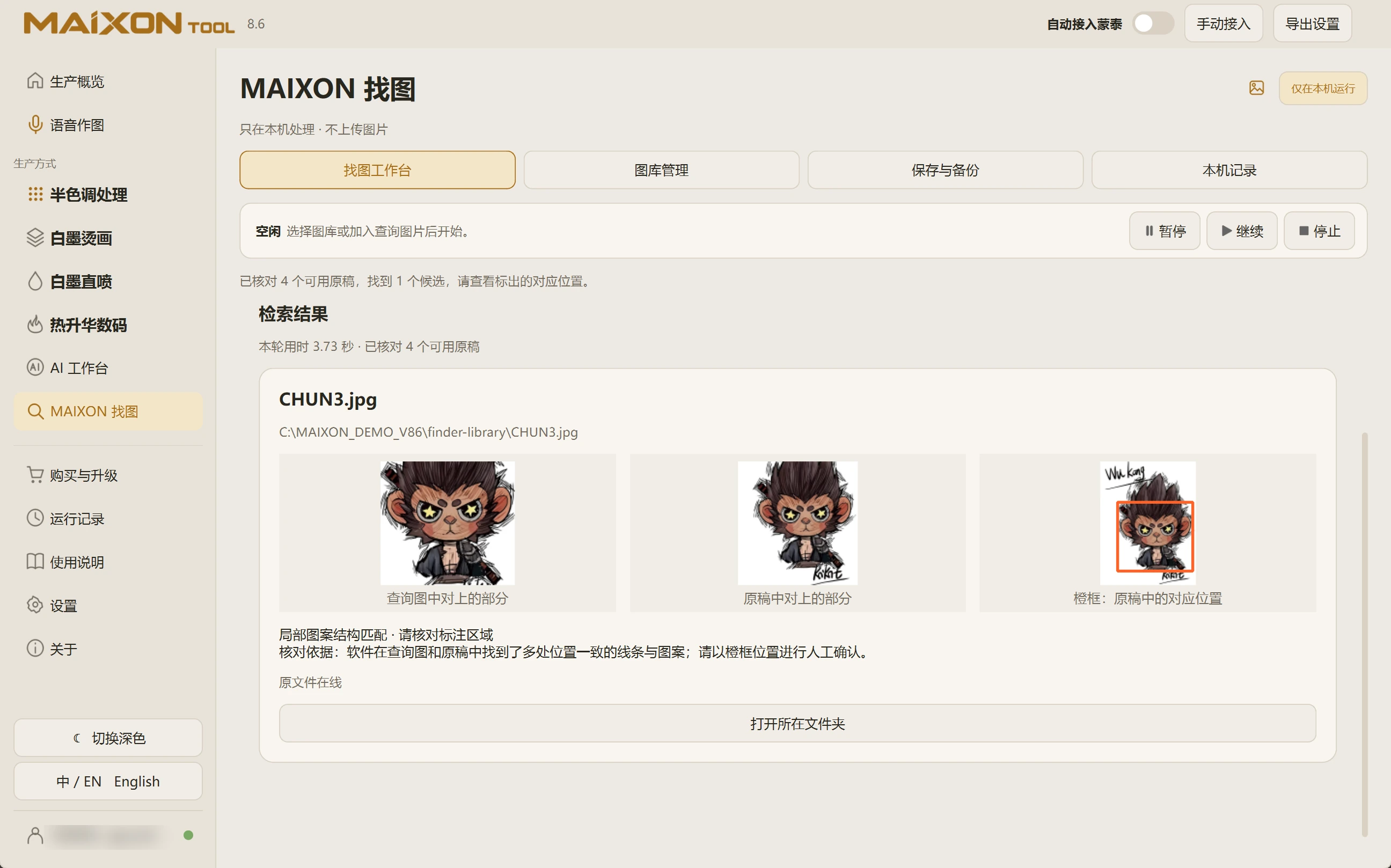
Check the region and the full original.
Run the search and inspect the matched area. Open a promising original to check the complete design.
Adjust the selected region and search again when useful. Similarity narrows the candidates; details in the original confirm the match.