
01
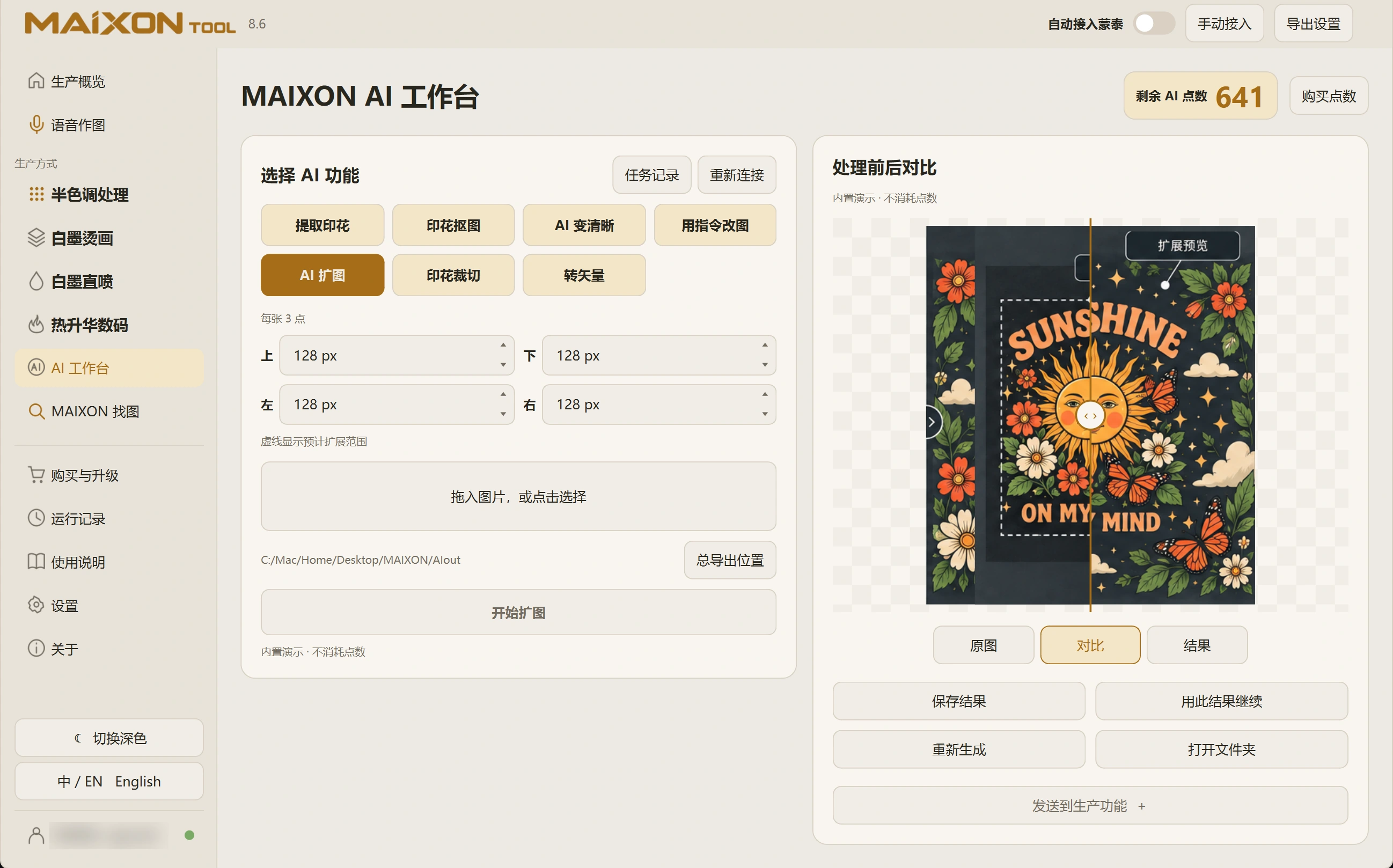
Set each edge's extension.
Choose Expand and import the image. Set the added pixels for the top, bottom, left and right, then review the input and credit cost.
Adjust only the relevant edge when space is needed in one direction. Define the intended canvas before choosing the extension.
02
Inspect the joins and new content.
Compare with the original, focusing on seams, repeated shapes, lettering and generated areas. The extension should fit the composition.
Save and check the new pixel dimensions. Expansion changes image bounds; physical production dimensions are set later.